
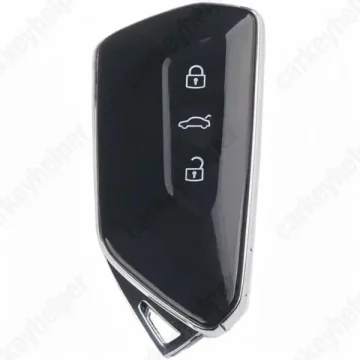
Cupra Tavascan 2026 Smart Key
VAG Smart Key
Overview
Key Type
Smart Key
Markets
EU, MEA, ASIA, AF
Transponder
ID5D (NCF295XW / WFS)
Integrated
Frequency
433 MHz
Battery
CR2032
Transponder Cloning
No
Skill Level
Skilled
Original Keys
This vehicle can be equipped with next part numbers, but not limited to: 5H0 959 753 AE; 5DD 959 753 B; 5HG 959 753; 5E3 959 752 E; 5H0 959 753 CC
Overview
Add key
OBD
All keys lost
OBD
System
MQB49 (5D)
Prepare dealer key
Yes
Remote programming
Automatic
All keys erased automatically
Yes
Power supply
Mandatory
Additional cables required
Yes
Additional cables required (All keys lost)
No
Key Programming via OBD
General Instructions
- Key can be programmed by OBDII with OEM ODIS with precoded key.
- Key can be added with aftermarket tools by reading the data from working key (requires key disassembly).
- All Keys Lost currently can be performed only using VIN-precoded dealer key.
- Note! This vehicle may be equipped with SFD2 protection, but it is not mandatory. If equipped, GRP Online is required.
Add Key (Xhorse)
Using Xhorse Key Tool Plus
Add key (ODIS)
Using ODIS Online with dealer key
Emergency Key Spot
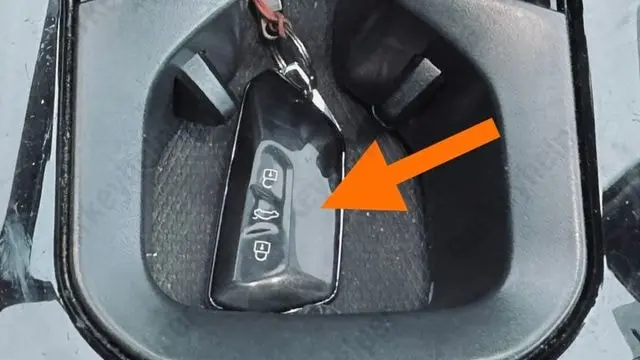
Located in the cup holder or glove box with the corresponding icon
Additional Cables and Adapters
Add Key
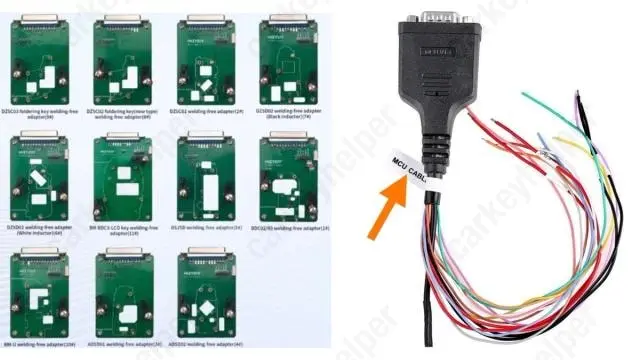
To read data from the original key, you will need an adapter, which most manufacturers include in the kit. Example: an MCU cable from Xhorse KTP. If you don’t want to solder, you will need to purchase adapters separately, for example: KEYDIY Solder-Free adapters or others
Programmers
ODIS Online
Recommended
Immobilizer Programming
Xhorse
Recommended
Immobilizer Programming
KYDZ
Recommended
Immobilizer Programming
Keydiy KD-X4
Immobilizer Programming
Lonsdor K518 PRO
Immobilizer Programming
TDB1000
Not supported
Code Series
12345-4321-4321 (Audi, Porsche, Skoda, Volkswagen) 10-4-4 Cuts
Media
Blade cutting tutorial
Using Xhorse Automatic machine
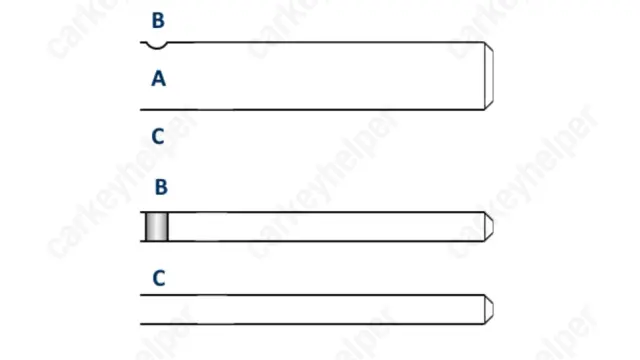
Blade
Overview
Double locked
Yes
Opening direction (LHD)
Counter-clockwise
Decoder capability
Door Lock
Decoding Tips
- Decoded bitting data is not direct cutting data. They need to be calculated first.
- The edge wafers are an unconventional design, each edge wafer will only correspond with one cut position on only one of the milled edge tracks so the opposing cut position needs to be milled to the reverse depth symbol to allow the key to be inserted completely.
Edge wafer 1 = Depth symbols 1 & 4 on their appropriate edge track axis
Edge wafer 2 = Depth symbols 2 & 3 on their appropriate edge track axis
Edge wafer 3 = Depth symbols 3 & 2 on their appropriate edge track axis
Edge wafer 4 = Depth symbols 4 & 1 on their appropriate edge track axis
HU162 (10)-cut
Take the reading of the side pins angles before and after opening the lock. When taking the reading before opening angles, the side pin needs to stays on its own.
The pin 1 and 2 are on the top and pins 3 and 4 are on the bottom. (Make sure the wafers lifters (top and bottom) are not over each other)
Use X-horse to calculate the all of the data.
Media
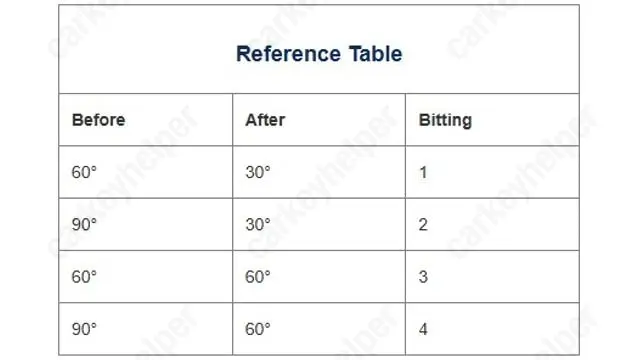
Reference table
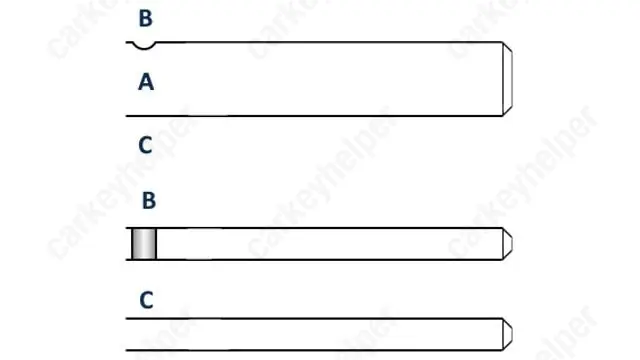
Key profile
Overview
Original key glued
Yes
Synchronizing
No
Repair Instructions
- All smart keys have an integrated immobilizer chips.
- There is no need to synchronize or reprogram the key after replacing the battery.
Media
Key shell disassembly
Requires to take out the key PCB when adding new key with aftermarket tools like Xhorse, KYDZ or others.
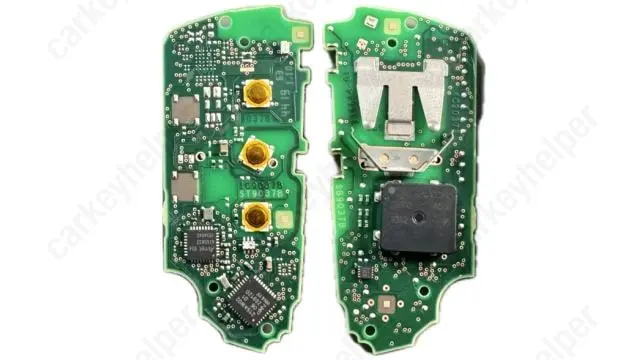
Circuitboard
With UWB (type 1)
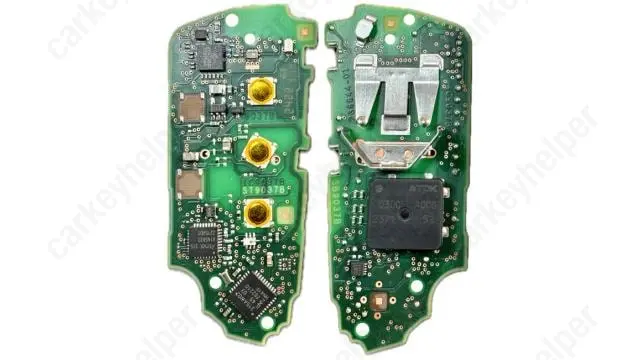
With UWB (type 2)
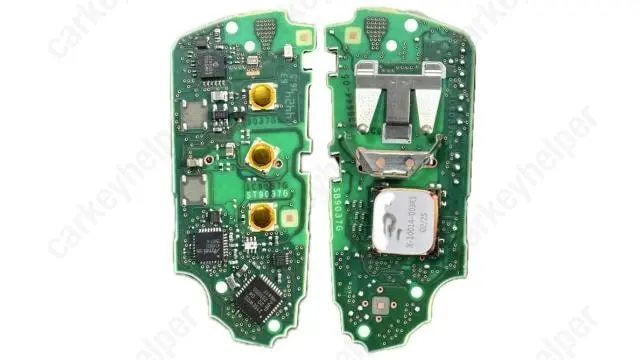
Without UWB